
Tiling
Pointcarre Tiling turns a photo, a sketch or a floor plan into an accurate carpet tile simulation. Areas, perspective, layout and export are calculated automatically, so a project can be presented and approved before a single tile is ordered.
From a flat texture to a realistic floor
Draw on a photo of the space, a sketch or an architecture plan. Pointcarre matches the perspective and the exact proportions of the room, so every tile design previews life size and true to angle, long before installation.
Every surface and every tile counted automatically
As soon as an area is defined and its layout applied, Pointcarre calculates the exact surface and the number of tiles needed, no manual counting required. On the corridor project shown throughout this page, for example, a 94.36 m² area used 392 tiles across 6 different designs.
Area covered
Tiles used
Tile designs
An intuitive workflow
Four steps, from the first sketch to the final presentation
1. Areas
Define the zones to cover directly on the picture, up to 250 indexed areas per document, each one freely named and colored.
2. Perspective
Match the tiling grid to the real angle and depth of the photo with an 8 point distortion tool, for a naturally integrated result.
3. Tiling
Compose the layout, Free or Herringbone, place tile designs by hand or let Pointcarre fill the space automatically.
4. Export
Share a photorealistic image of the finished floor for client presentation, validation or a printed proposal.
Define areas on any picture
A Tiling document can be built from a photo, a sketch or, as shown here, a full architecture plan. Each zone to cover is drawn as a solid color area with a dedicated set of tools: curve, pencil, shape, line or bucket.
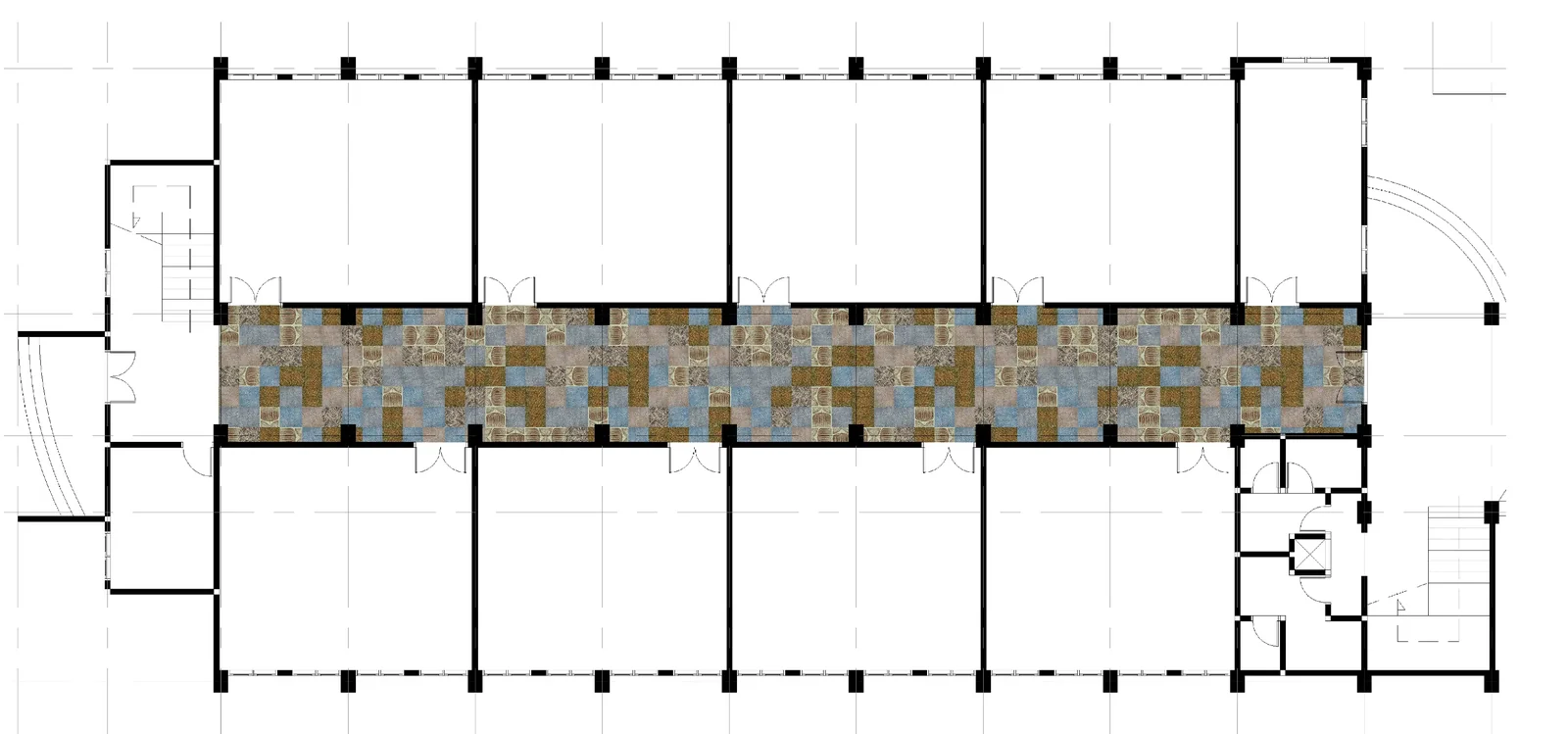
Up to 250 indexed areas per document, each one freely renamed to match the space, corridor floor, room floor and so on.
Opacity control on the area map for a precise, easy outline over the source picture.
Import or export the area map to reuse the same zones across several Tiling projects.
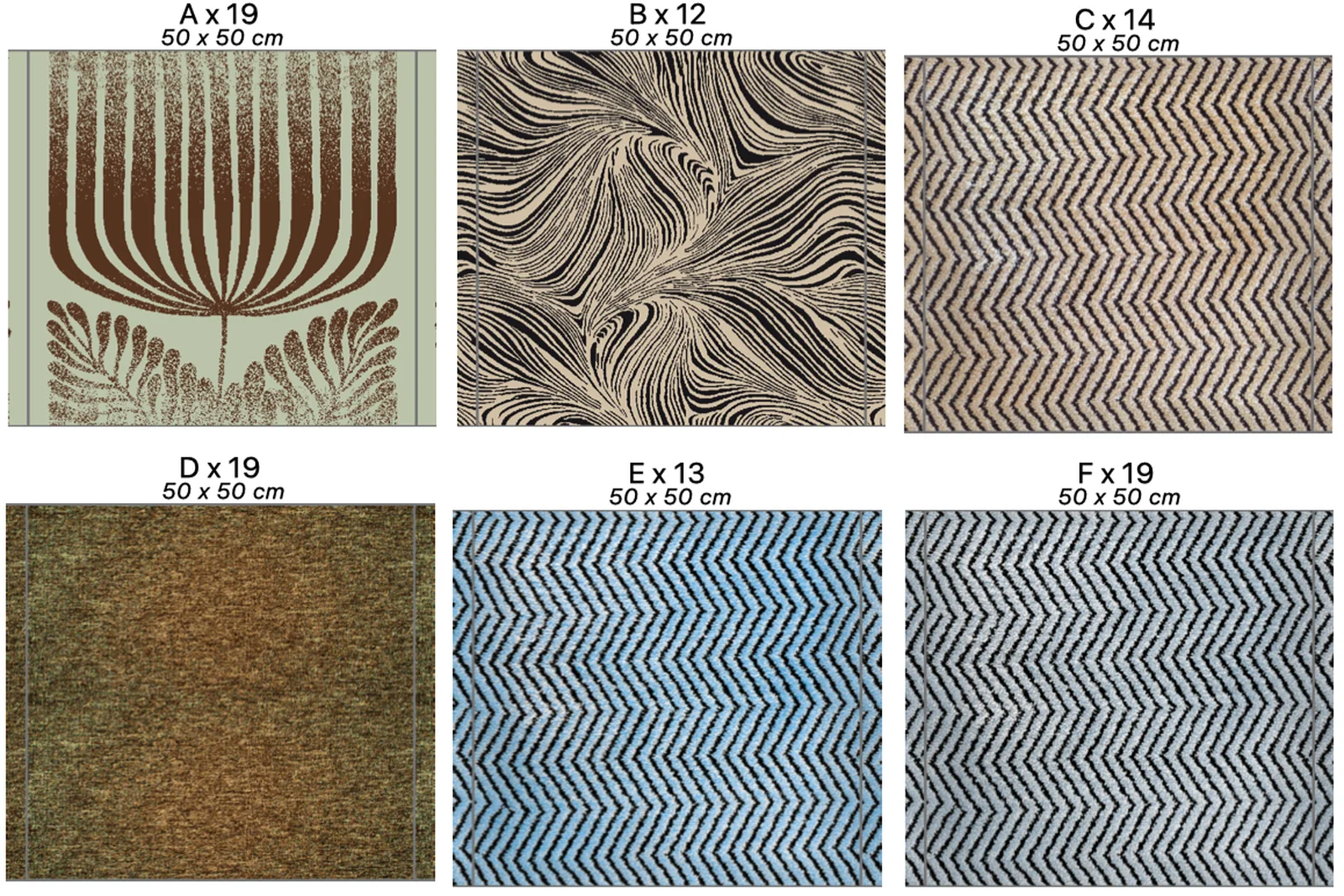
Texture Set
Every carpet tile design is organized in a Texture Set, grouped by its real world size, so it can be applied to a Tiling plan in one action. Drag an image straight from Explorer or Finder and Pointcarre creates the set automatically.
- Compatible with PNG, TIFF, JPEG, BMP and Pointcarre PT, DE and CS files
- Filter sets by compatibility with the current grid, or by what is used in the document
- Pointcarre tracks how many of each design a project uses, ready for a material order
A layout for every project
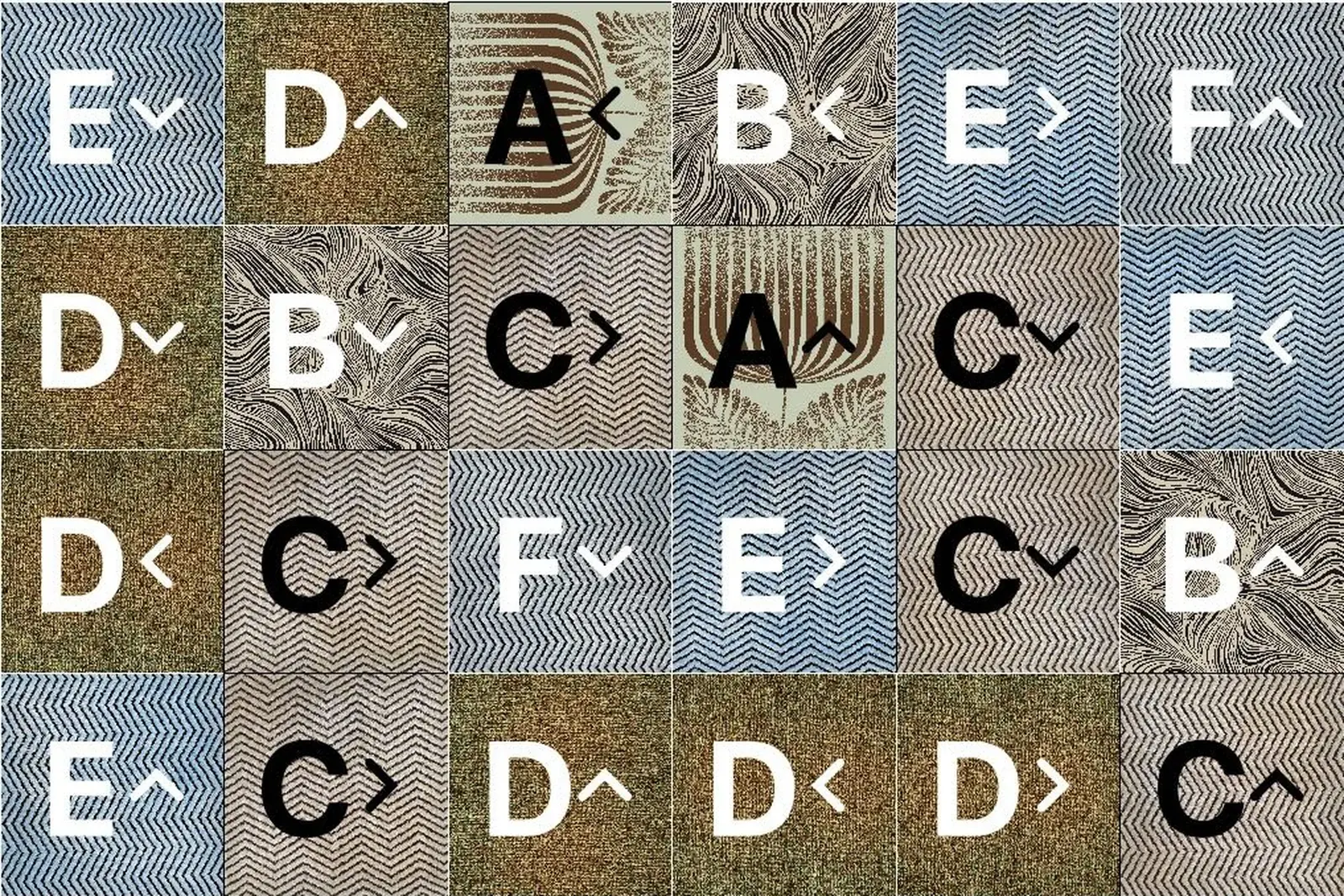
Two ready made layout styles, Free and Herringbone, cover most carpet tile projects, with the chevron ratio and rotation handled automatically. Once the grid is set, place each tile design by hand or let Automatic Random Fill distribute them with varied rotations, so the same composition is never quite repeated.
- Automatic Random Fill distributes every tile design across the surface, marking each with a letter and its rotation angle
- Cut, rotate 90 degrees, move or copy any tile directly on the layout
- Tile size can be bigger or smaller than the grid cell, as long as it stays a multiple
Why Pointcarre Tiling
Intuitive drag and drop
Textures are placed on the layout by drag and drop, straight from the Texture Set or from Explorer and Finder.
Native Mac and PC
The same Tiling document opens with the same interface on Mac and Windows, with or without a dongle.
Real time preview
Every change to a tile, a rotation or a layout updates the picture instantly, for fast, confident decisions.